See what no single report can — a student present every day, and still failing the one class they keep leaving.
So the conversation happens in October, not when a grade is already lost.
Radar finds the patterns no single report can see, then holds the caseload work that follows — watches, plans, and progress charts that draw themselves.
Try it freeWhat Radar does
Spot the pattern without putting a flag in a student's file.
So looking at a child's pattern doesn't put a flag on their record.
You see the minutes a student spent out of class, never where they went.
So a pattern can be noticed without the counsellor's door becoming public information.
An empty list tells you how many students it actually checked.
So you can tell "nothing to see" from "nothing to check".
An intervention plan whose progress chart draws itself.
So the team meeting starts at 'what does it show' instead of 'who has the binder'.
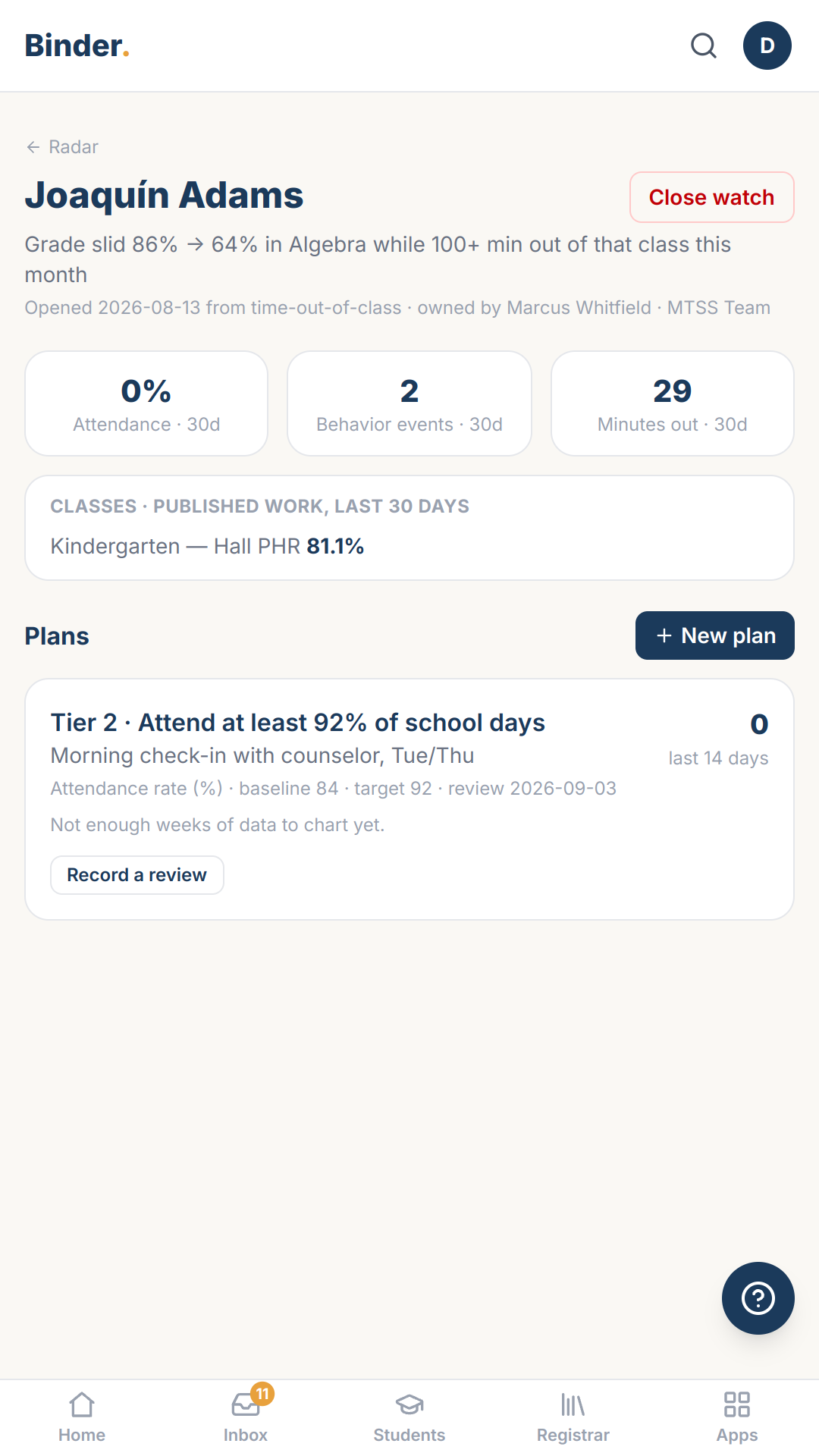
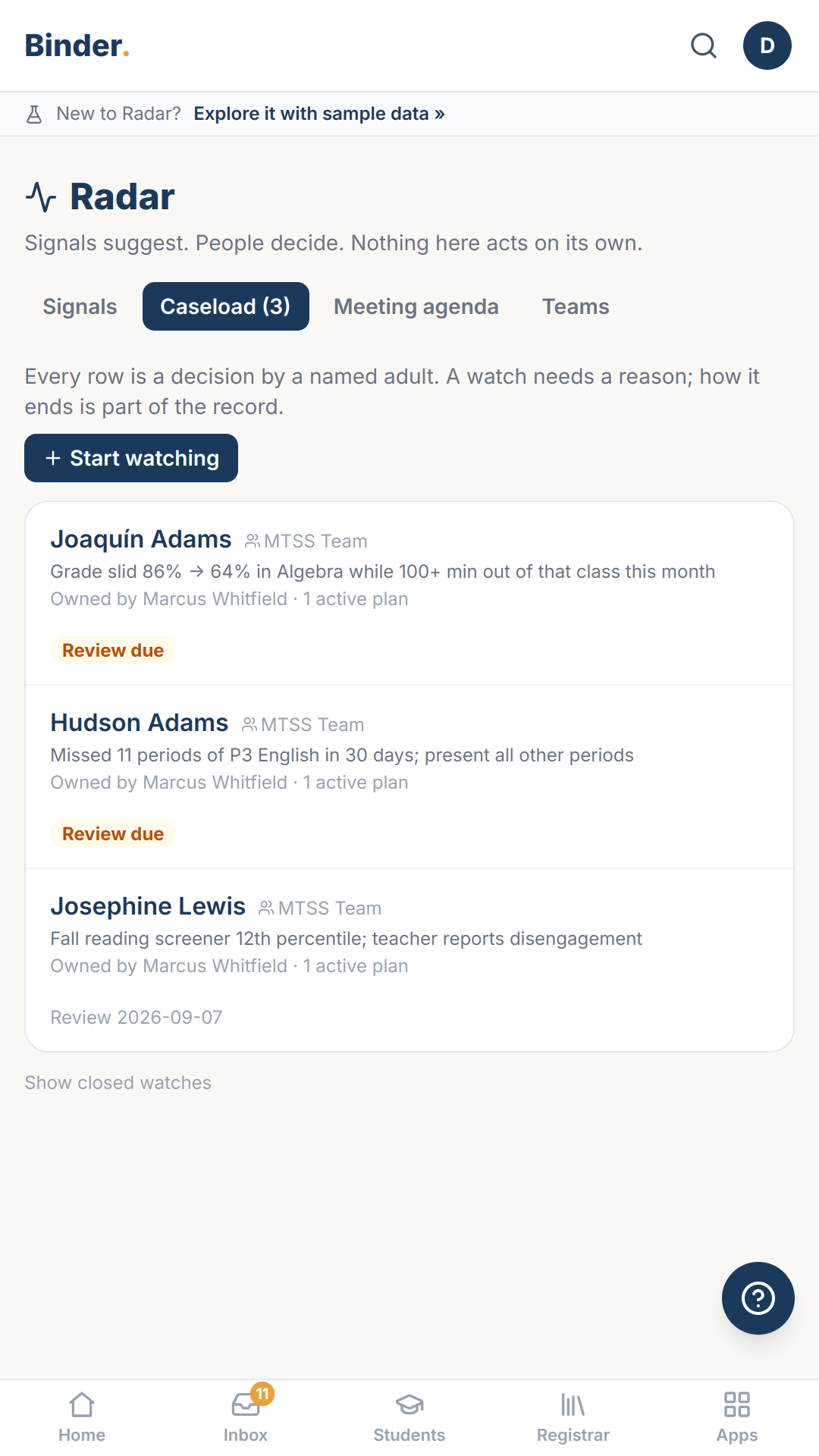
A student joins the caseload one way: a named adult decides.
So the caseload is a list of decisions with reasons, not an algorithm's output.
Sound familiar?
- “Attendance says fine. The gradebook says fine-ish. Nobody's screen says why.”
- “Every early-warning tool we've piloted turns into a label that follows the kid.”
- “The only way to see the pattern was to read where every child had been.”
- “A dashboard with no results might mean everyone's fine, or might mean it never ran.”
- “Progress monitoring meant somebody hand-entering numbers into a spreadsheet the night before the meeting.”
- “Early-warning tools that auto-flag kids turn into labels nobody remembers assigning.”
Signals suggest. People decide. The chart draws itself.
What you're using now
The pattern that matters usually lives across three systems that never speak: attendance says present, the gradebook says sliding, and the pass log says which class they keep leaving. Nobody has time to join those by hand for six hundred students, so the conversation happens in spring when a grade is already lost. Signals joins them and stops there — it records nothing on the child.
Every Binder app works like this
Built for your phone first
Every screen works in a hallway, not just at a desk.
Paper is a first-class input
Point your camera at a roster, a sign-out sheet, a stack of work — Binder drafts, you approve.
Your district's words
Labels and letters render in your district's own terminology.
AI drafts, people decide
Nothing becomes a record until a person says so.
More on how Binder works: the platform · security & privacy
Every Feature You'd Expect. Every Feature You'll Need.
The basics, so you can check them off.
- Caseload watches with owners and teams
- Intervention plans with live outcome metrics
- Review cadences and a meeting agenda
- Screener results from Benchmark
- 30, 60 and 90-day windows
- Minutes out, pass counts and grade movement per class
- Assignment counts behind every trend
- Permission-gated access
14 days, no credit card, nothing to install. Explore with sample data, or bring your own roster.