Grade the stack without losing your Sunday.
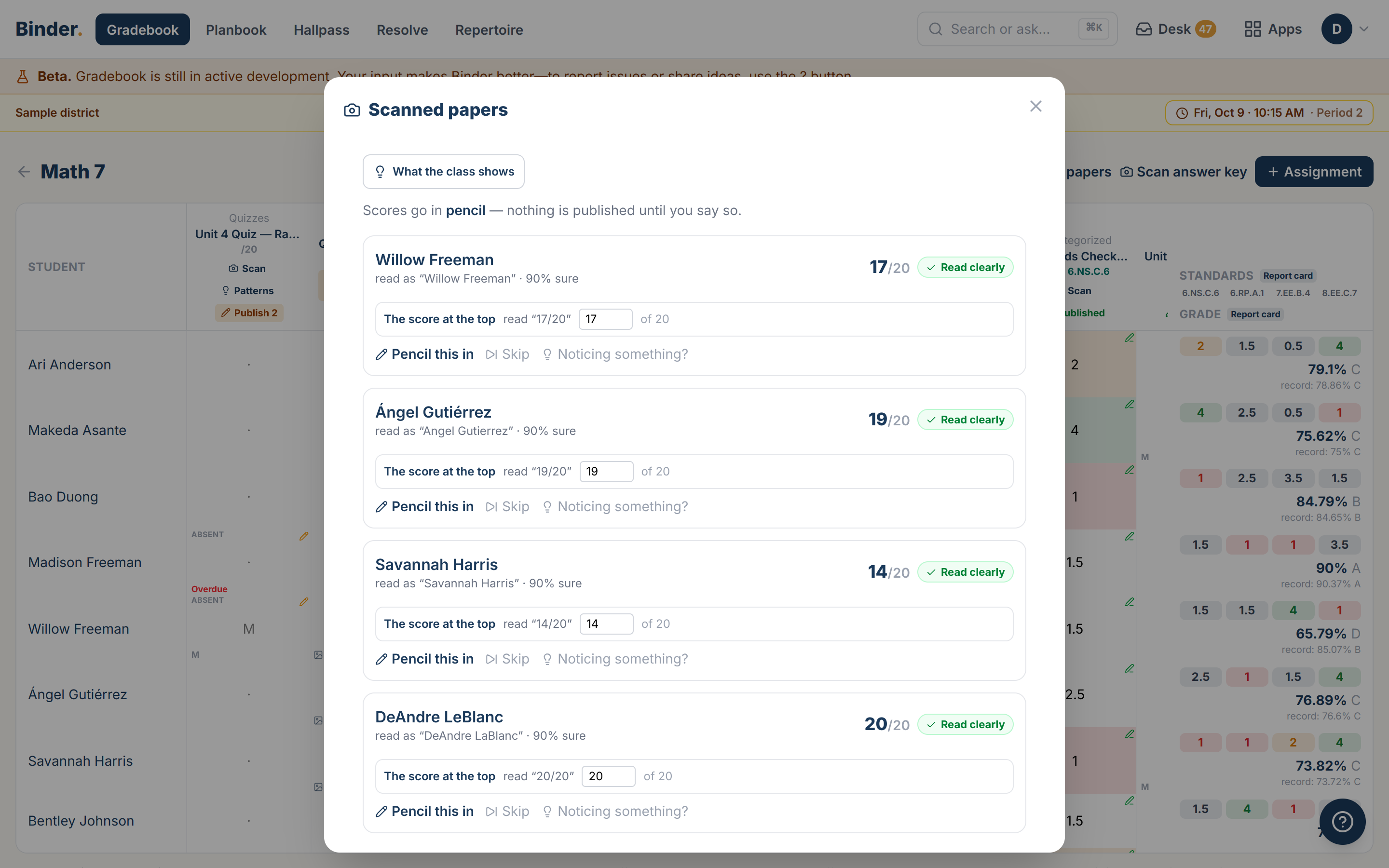
You photograph the stack and check the scores Binder suggests. Nothing goes in the gradebook until you publish.
You grade on paper, in stacks, whenever it's convenient. Photograph the stack, review the scores Binder suggests, and you're done once you agree with them.
Try it freeHow it works: One stack of quizzes, start to finish
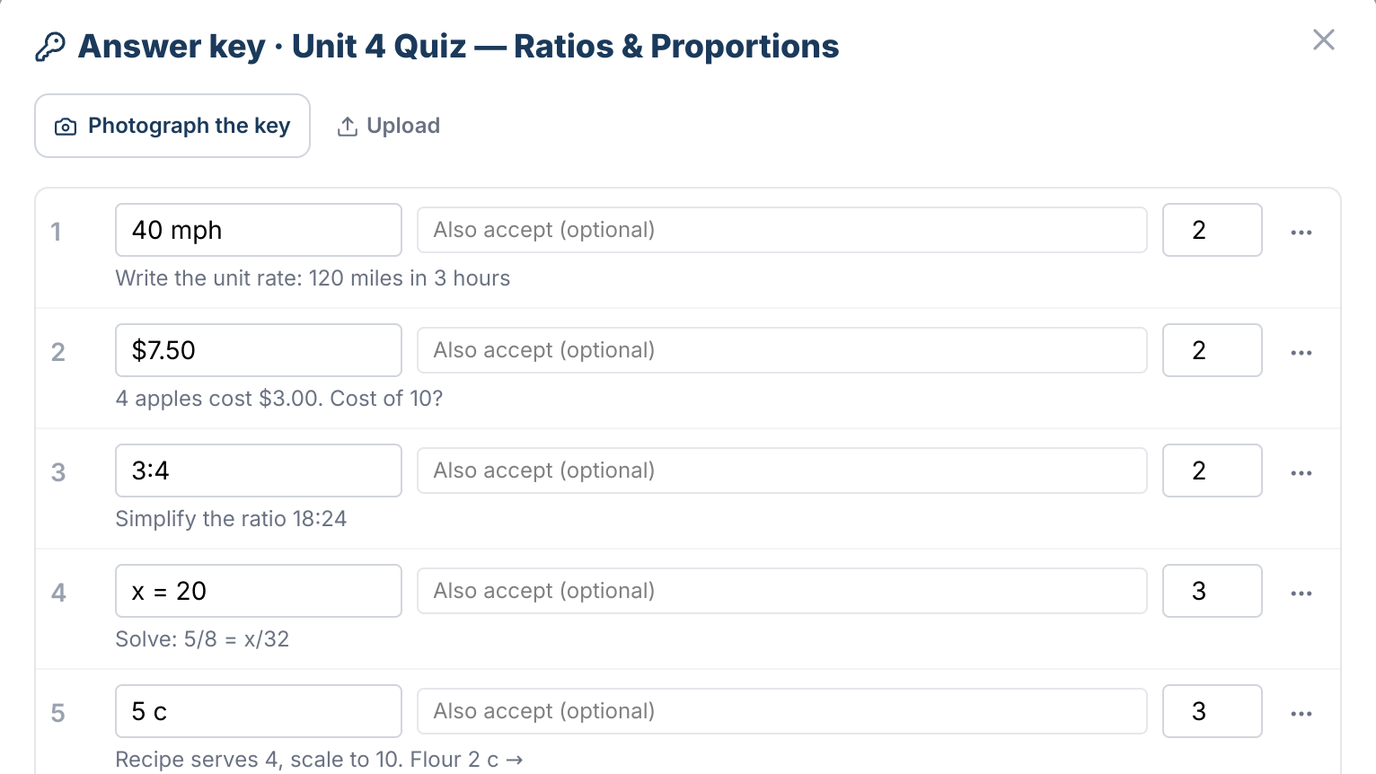
Start with your answer key
Photograph your answer key. Binder creates the assignment from it, with the title, the points and each question's answer, and you confirm it.
Scan the stack
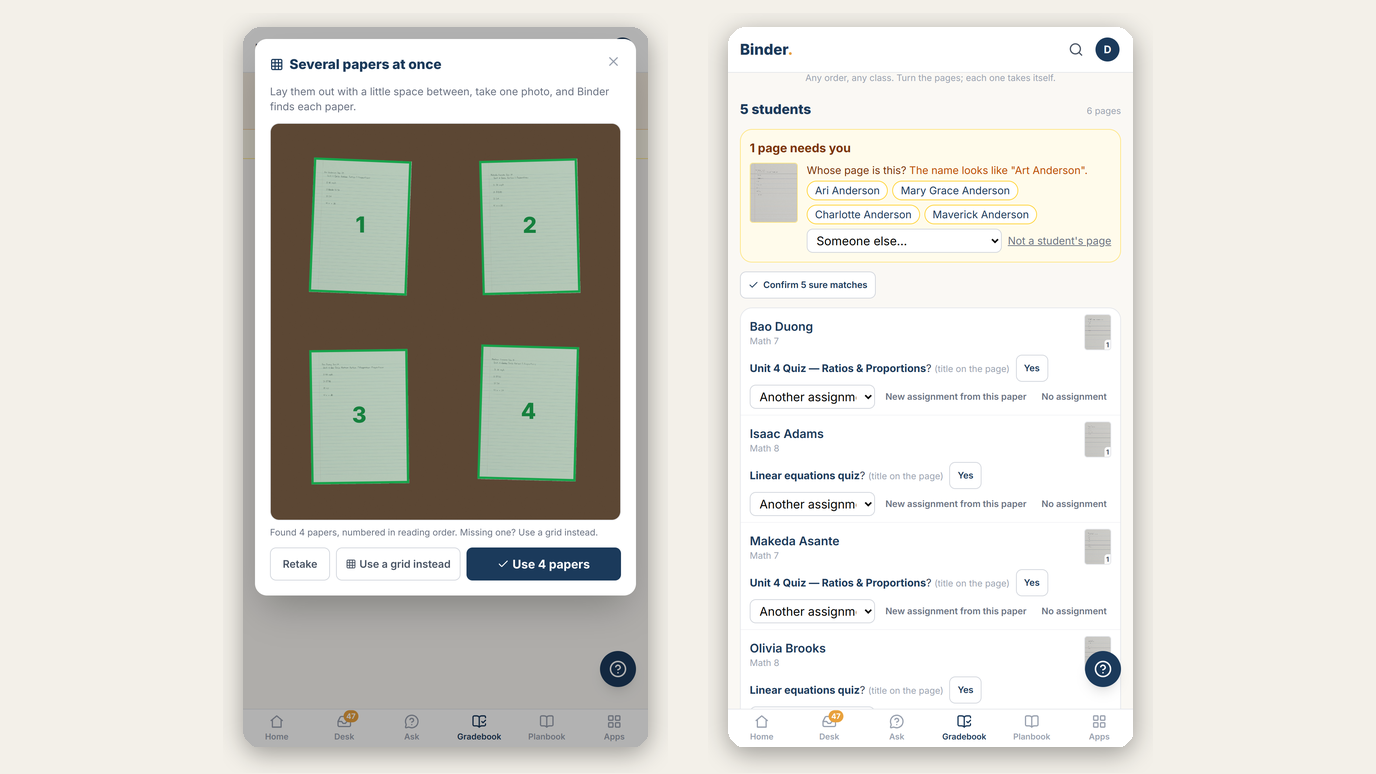
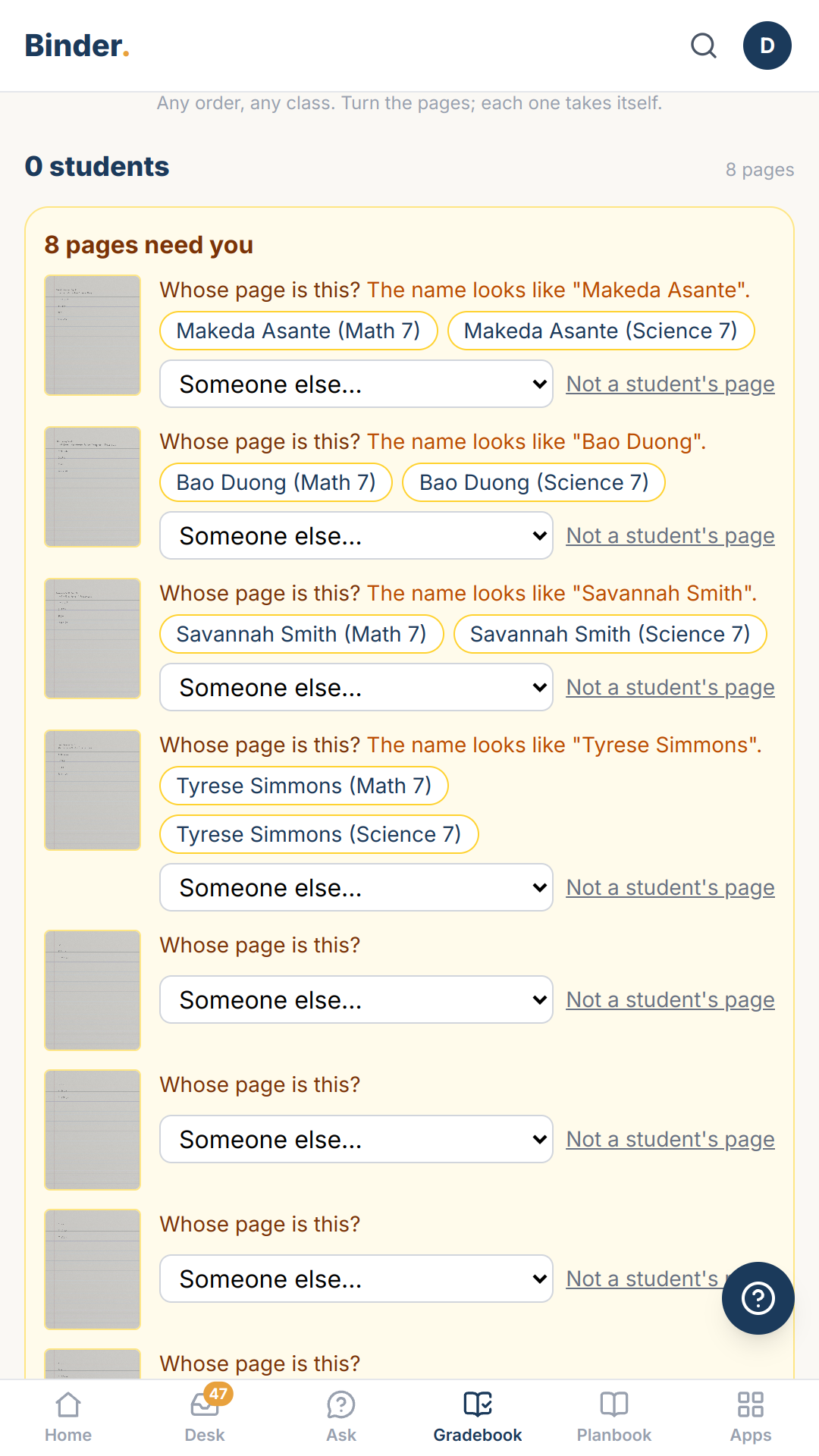
Photograph the stack whenever it's convenient, in any order and from any of your classes. Binder matches each page to its student and files it in the right class.
Check the scores
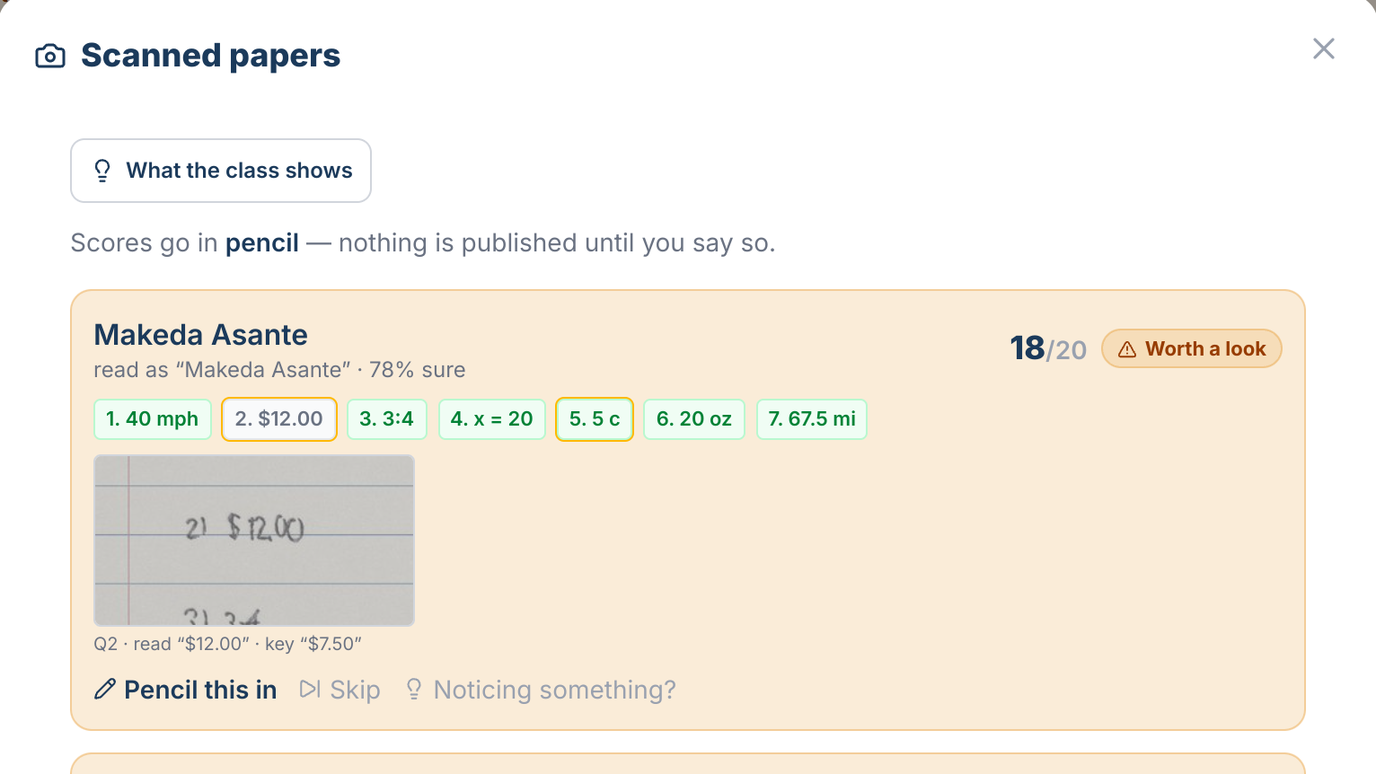
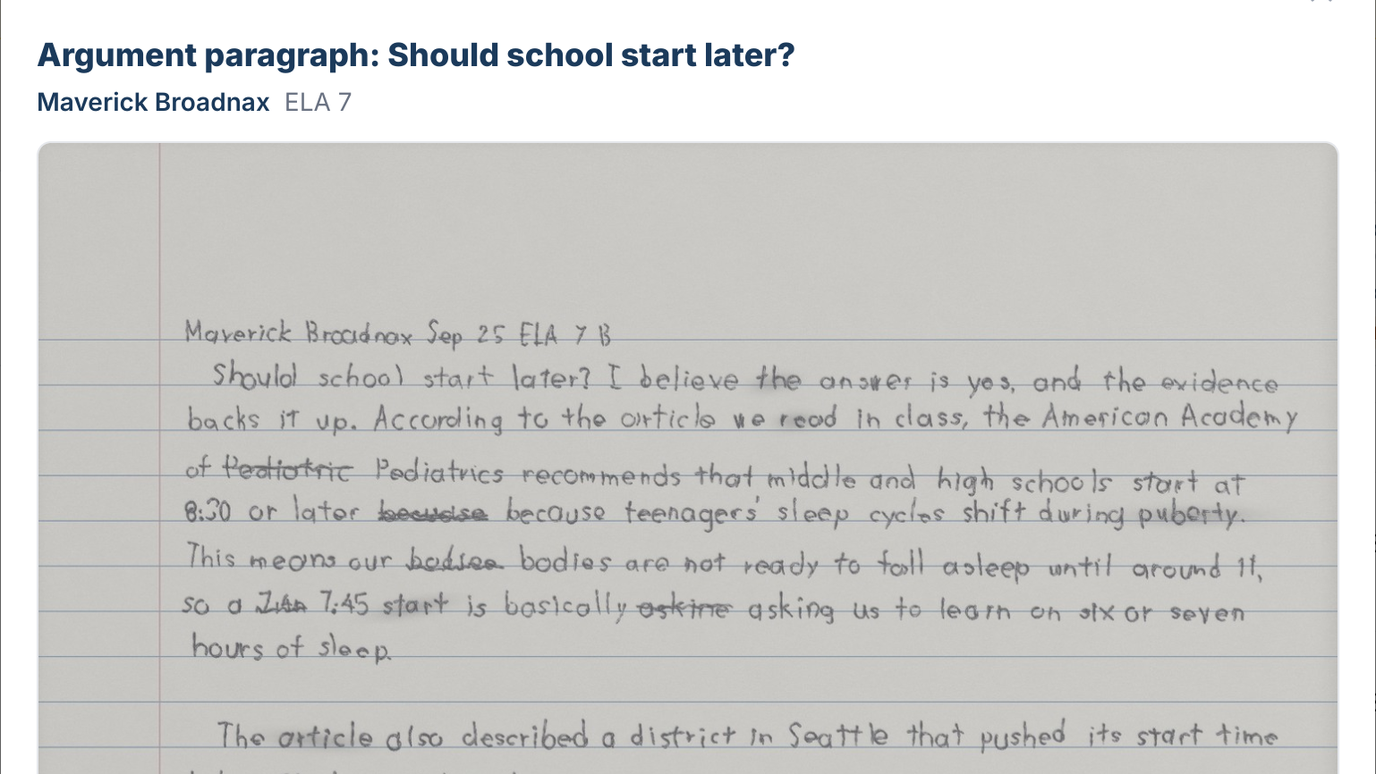
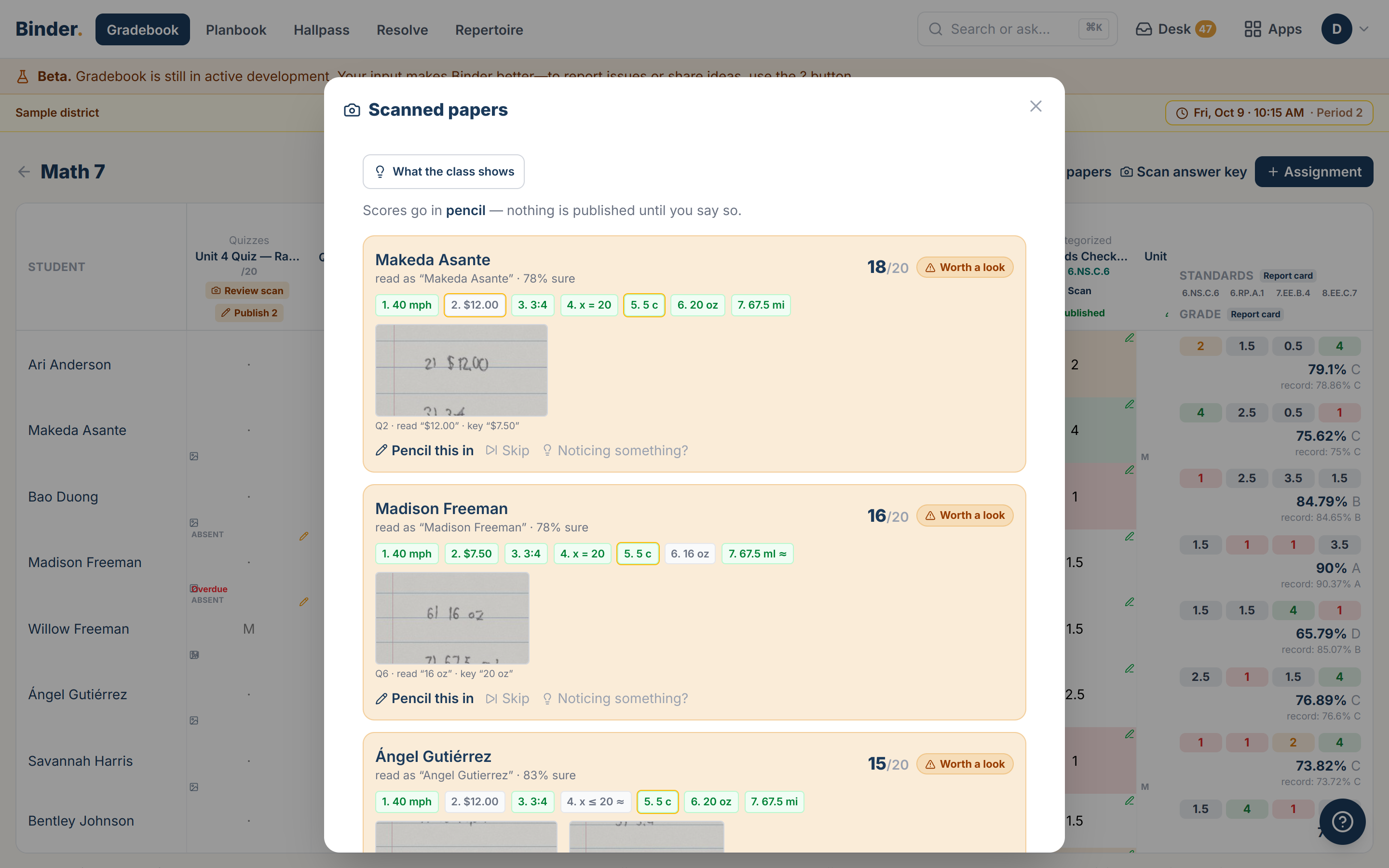
Binder scores each paper against your key and shows you the answers worth a second look. You accept the scores you agree with, and they stay in pencil.
Follow up on missing work
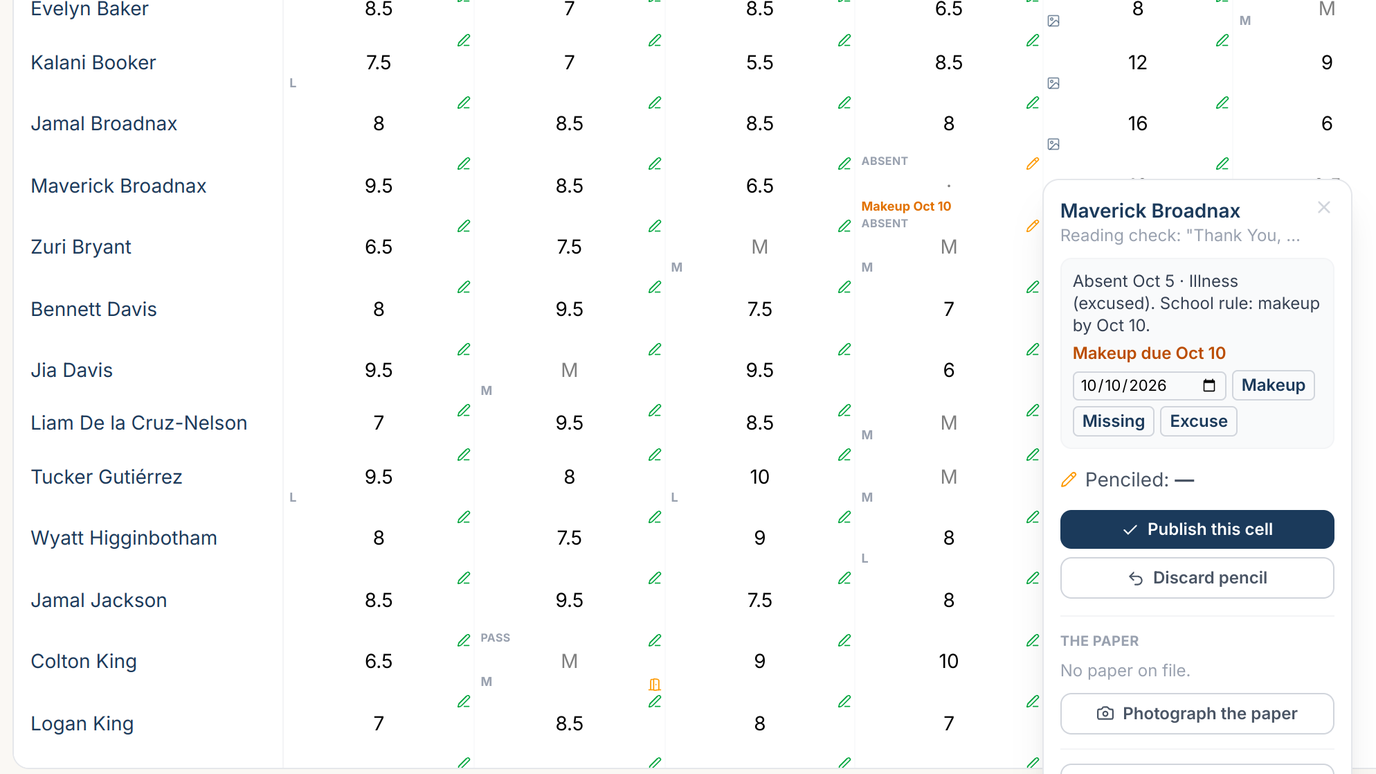
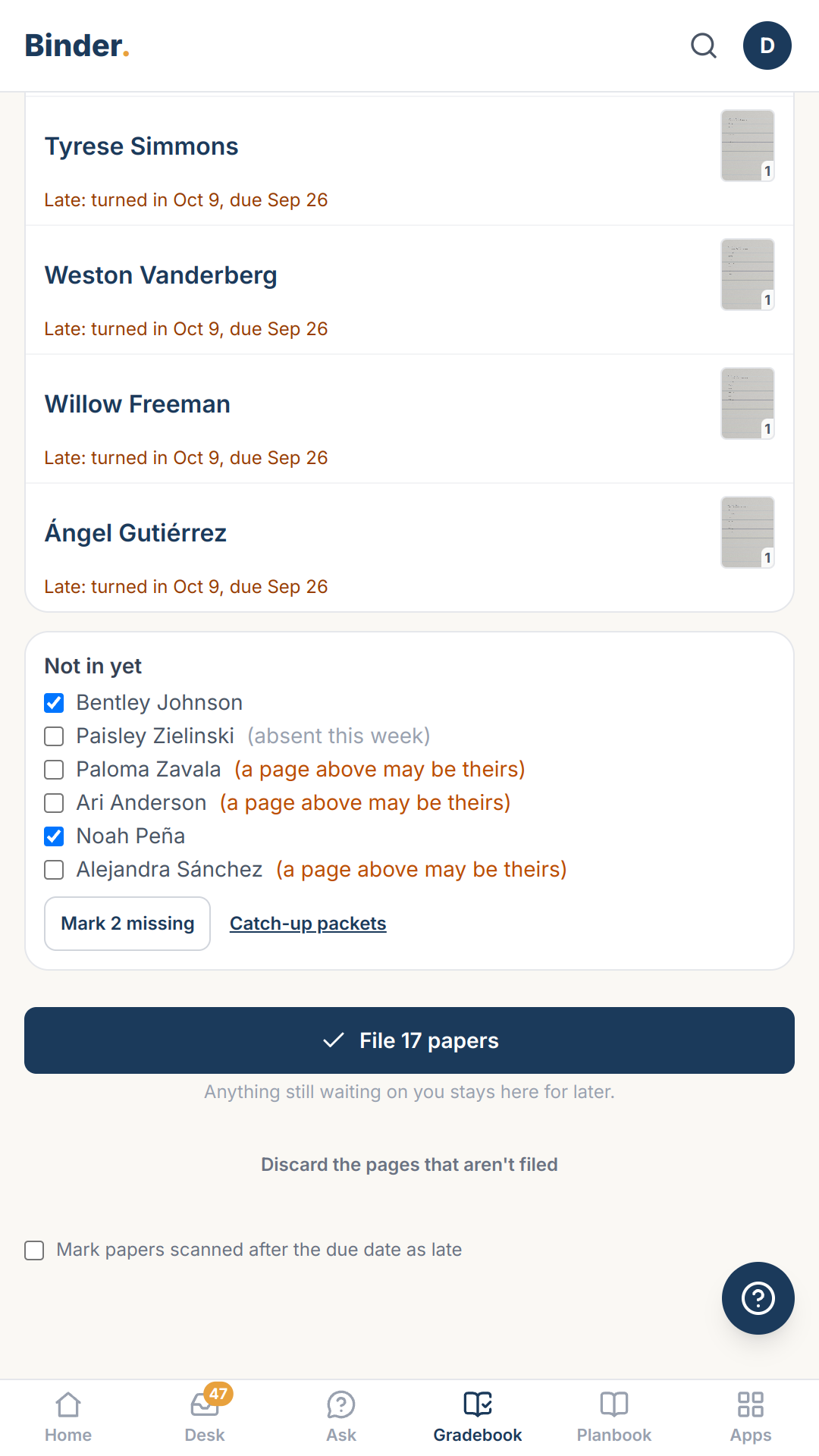
You see who turned it in and who was absent. Absent students get your school's makeup rule penciled in, and you print a catch-up packet for anyone who still owes the work.
Publish when you're ready
You publish the whole assignment at once, so every student gets a grade the same day. You also see which questions the class missed most, before you plan tomorrow's lesson.
Pull up the paper anytime
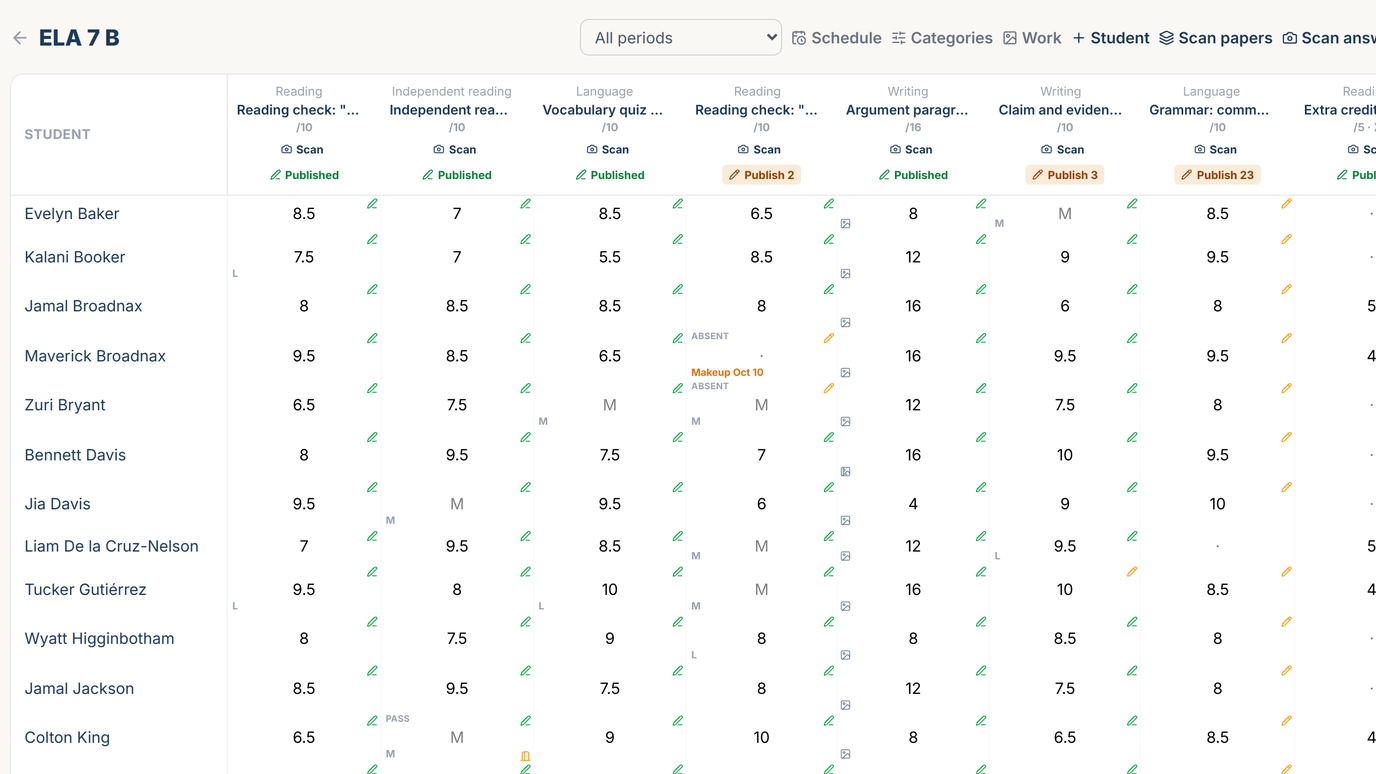
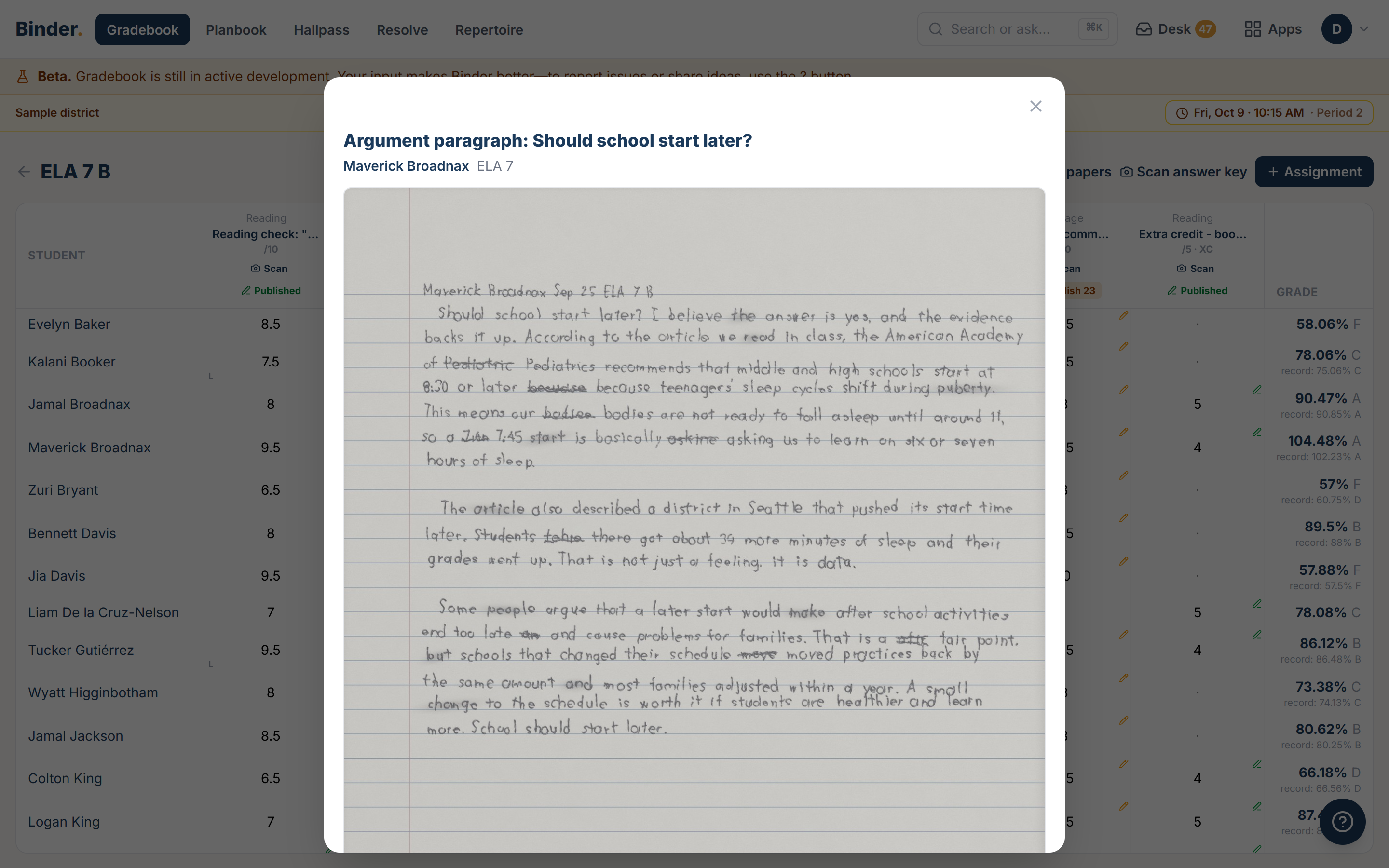
Hand the papers back as soon as they're graded. Months later, at a parent conference, you tap the score and the student's paper opens on screen.
What Gradebook does
Snap a photo of your answer key, and Binder scores the class's papers against it.
So you only review the answers Binder flags.
Photograph a stack of papers. Binder sorts the pages by student and scores them against your key.
So the scores are ready for you to check before you leave school, and none of them count until you publish.
Enter scores on your phone as students finish their work, right where they're sitting.
So grading happens while students are still in the room.
Snap a photo of each exit ticket at the door. If it has an answer key, Binder scores the stack against it while you're still in the room.
So you know who got today's lesson before the last student is out the door.
Everyone's grades for an assignment are published at once, when you're ready.
So the whole class gets grades on the same day.
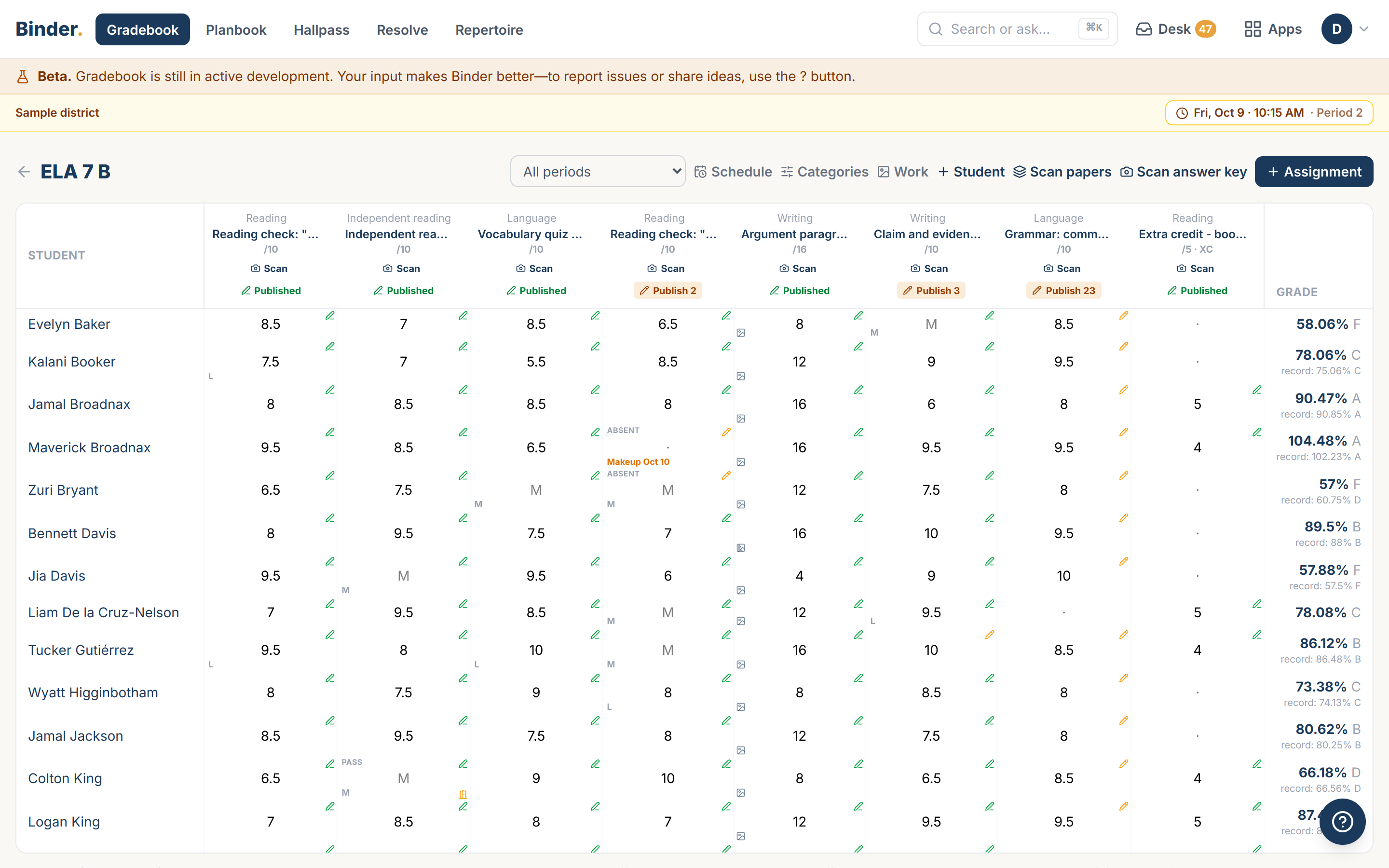
After you photograph the stack, Binder shows who's missing—“23 of 28”—and which of those students were absent. Mark them missing in one tap, and their work goes into a catch-up packet you can print for them.
So you know who to follow up with before you start grading.
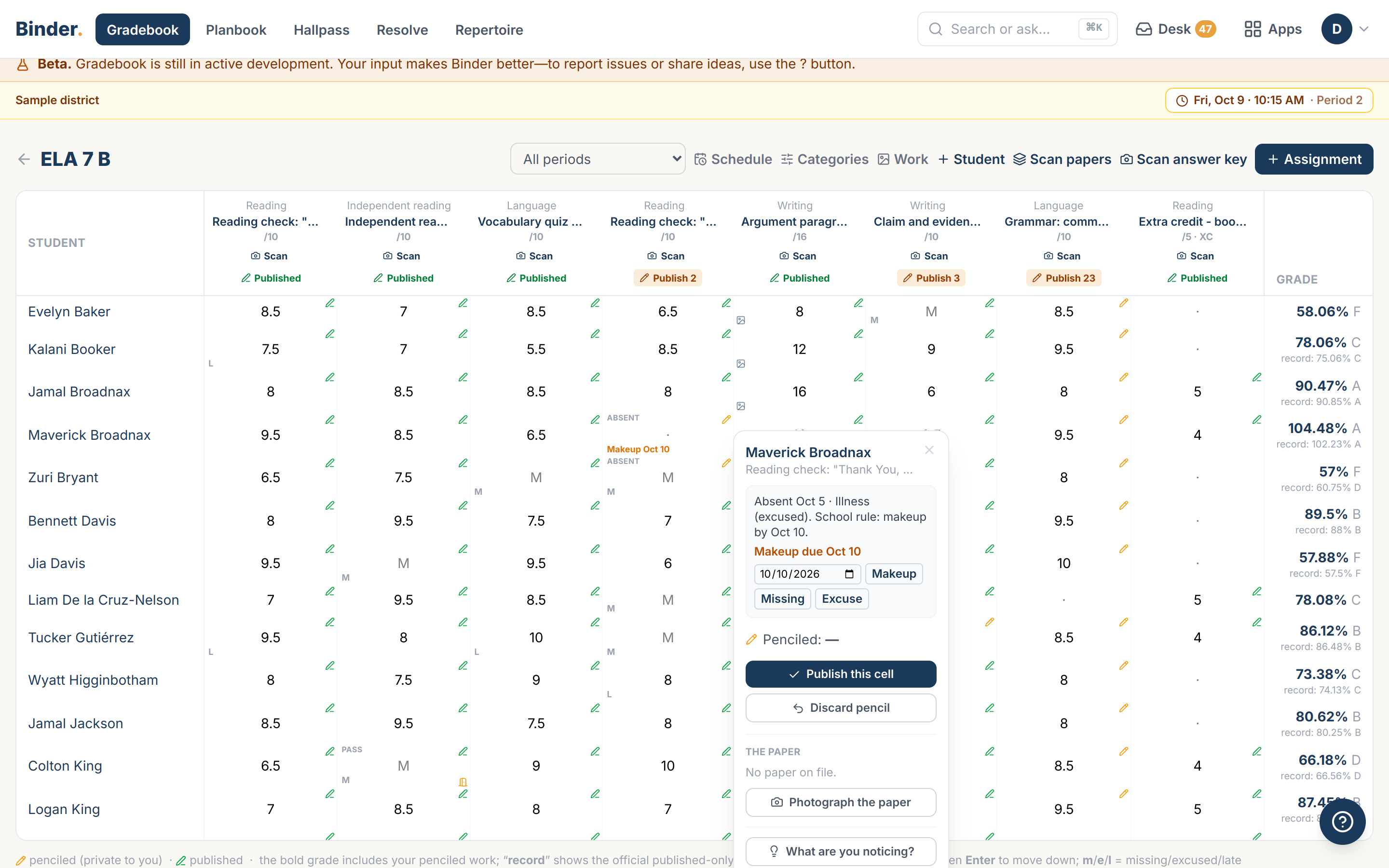
Students who were absent when work was due are flagged for makeup work, with whether the absence was excused.
So a missed day becomes a makeup assignment instead of a zero.
Photograph essays and projects before you grade them. Each student's pages go straight to their record.
So student work is saved the day it comes in, and you grade it when you're ready.
Hand papers back as soon as they’re graded. The copy stays in Binder.
So students get their work back while it still matters to them.
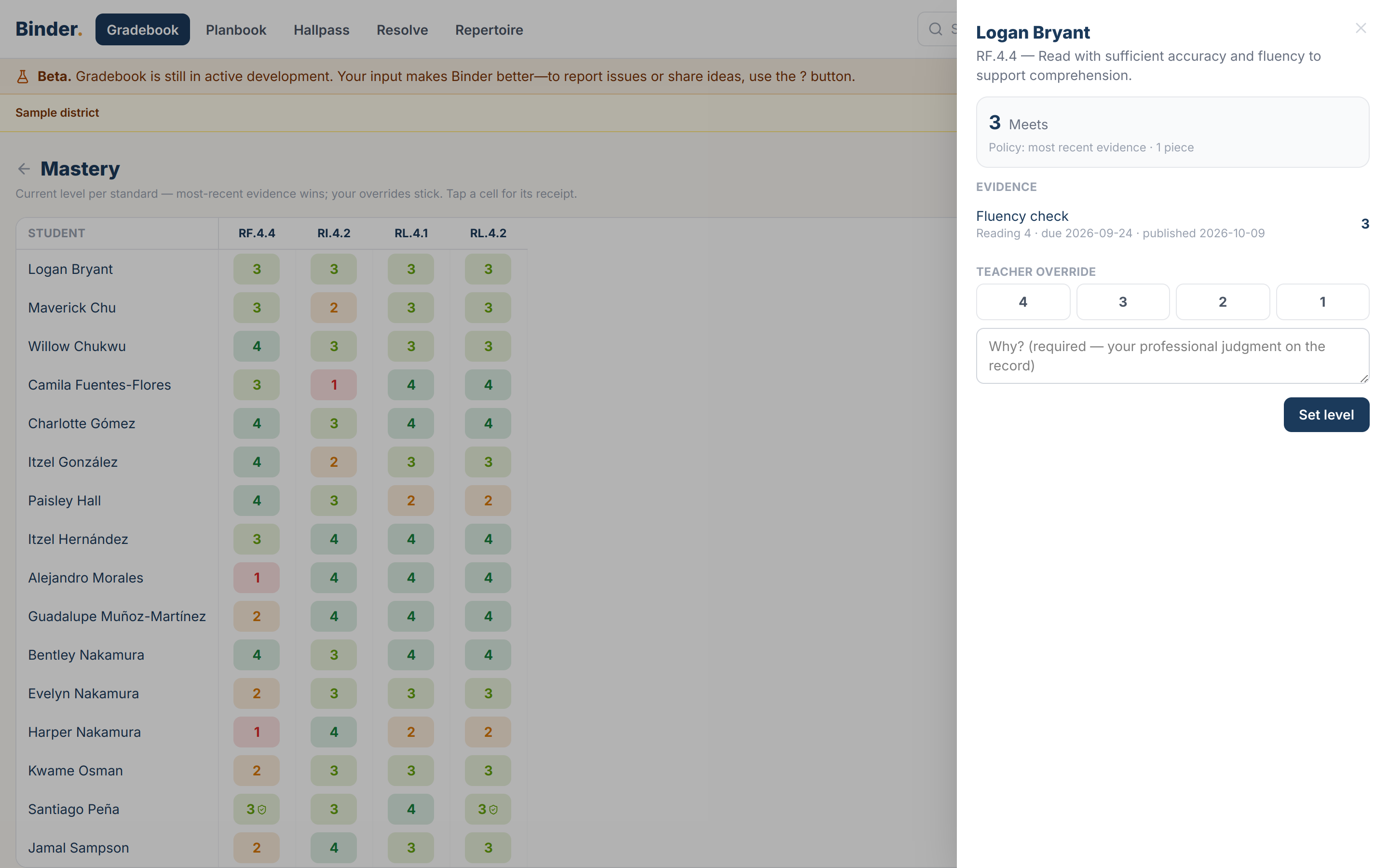
Every standards score is one click from the assignments behind it.
So you can explain any mastery level in a parent conference, with the evidence on screen.
Start a gradebook in minutes, without waiting for the office to set up your classes.
So you can enter grades on your first day.
Snap a photo of your answer key, and Binder creates the assignment in your Gradebook.
So a quiz goes from your answer key to the gradebook in one photo.
Photograph papers from all your classes in one pile, in any order. Binder finds each student's pages and puts them in the right class.
So you can scan the pile the way it came in.
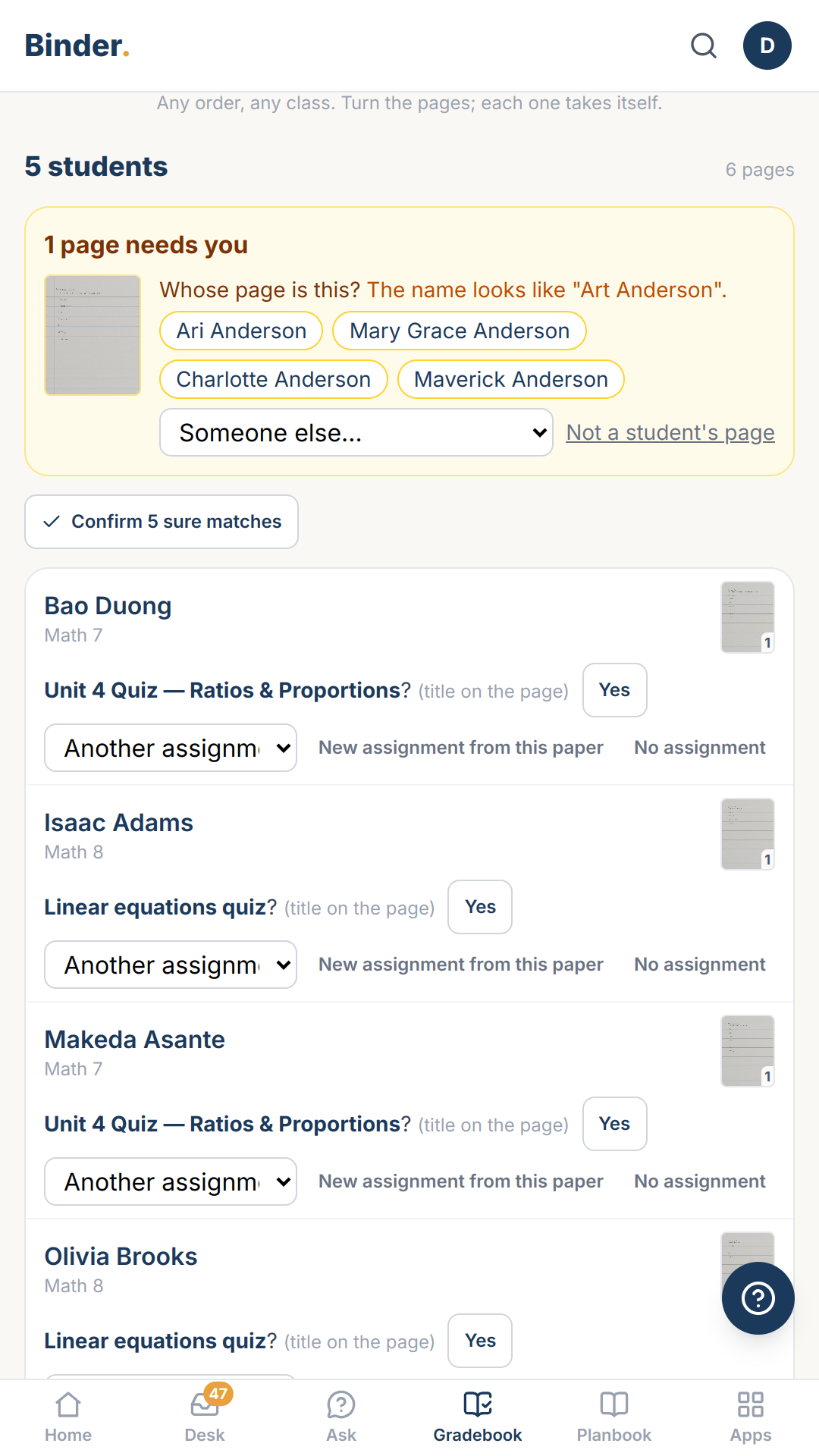
Scan makeup work whenever it arrives, even one paper at a time. Binder recognizes which assignment it belongs to and files it in the right place.
So a late paper takes one photo, not a trip through the gradebook.
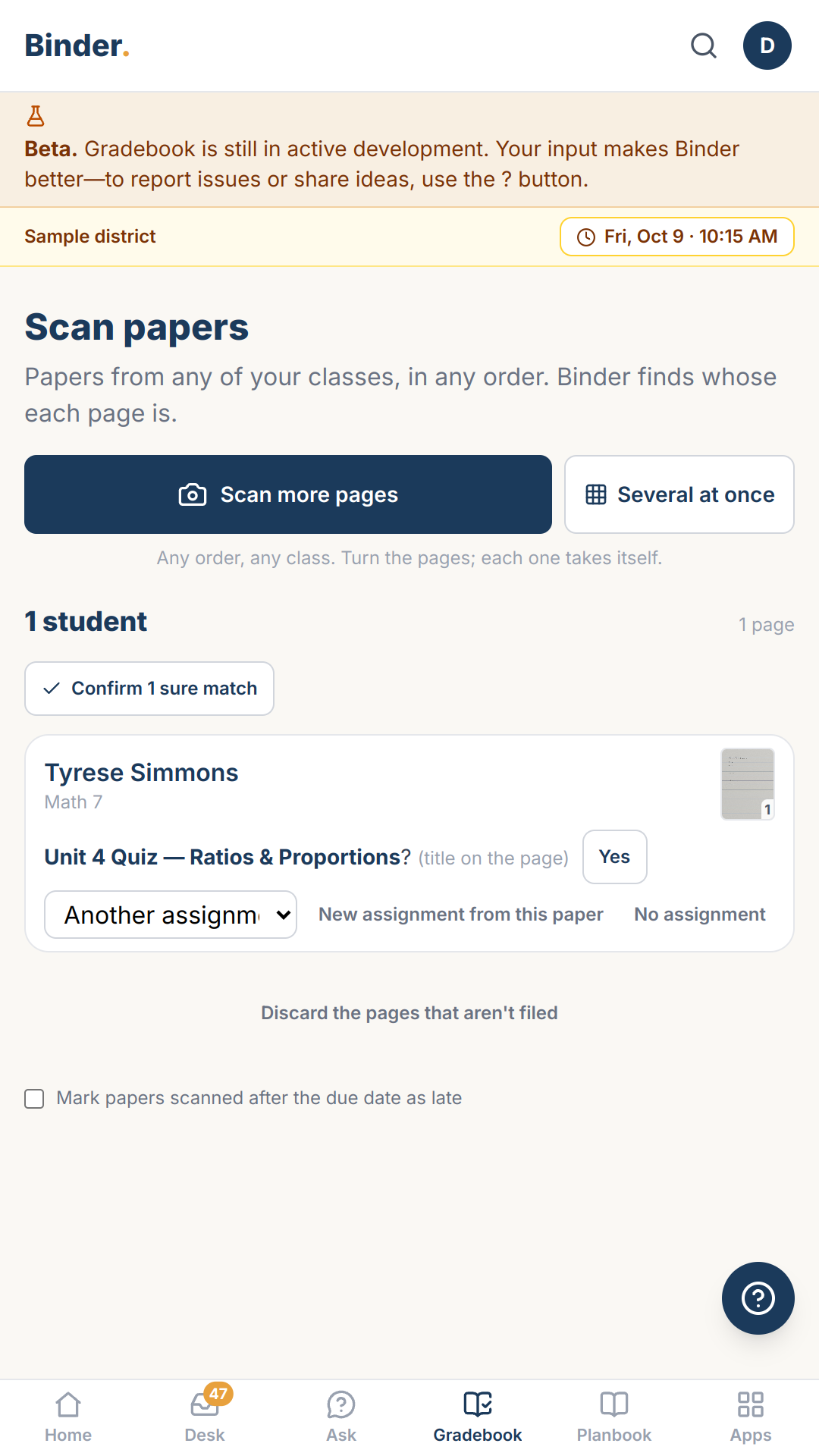
Scan the papers when you collect them and add the answer key later. When you save the key, Binder scores every paper you already scanned.
So papers get scanned the day you collect them, even before the key exists.
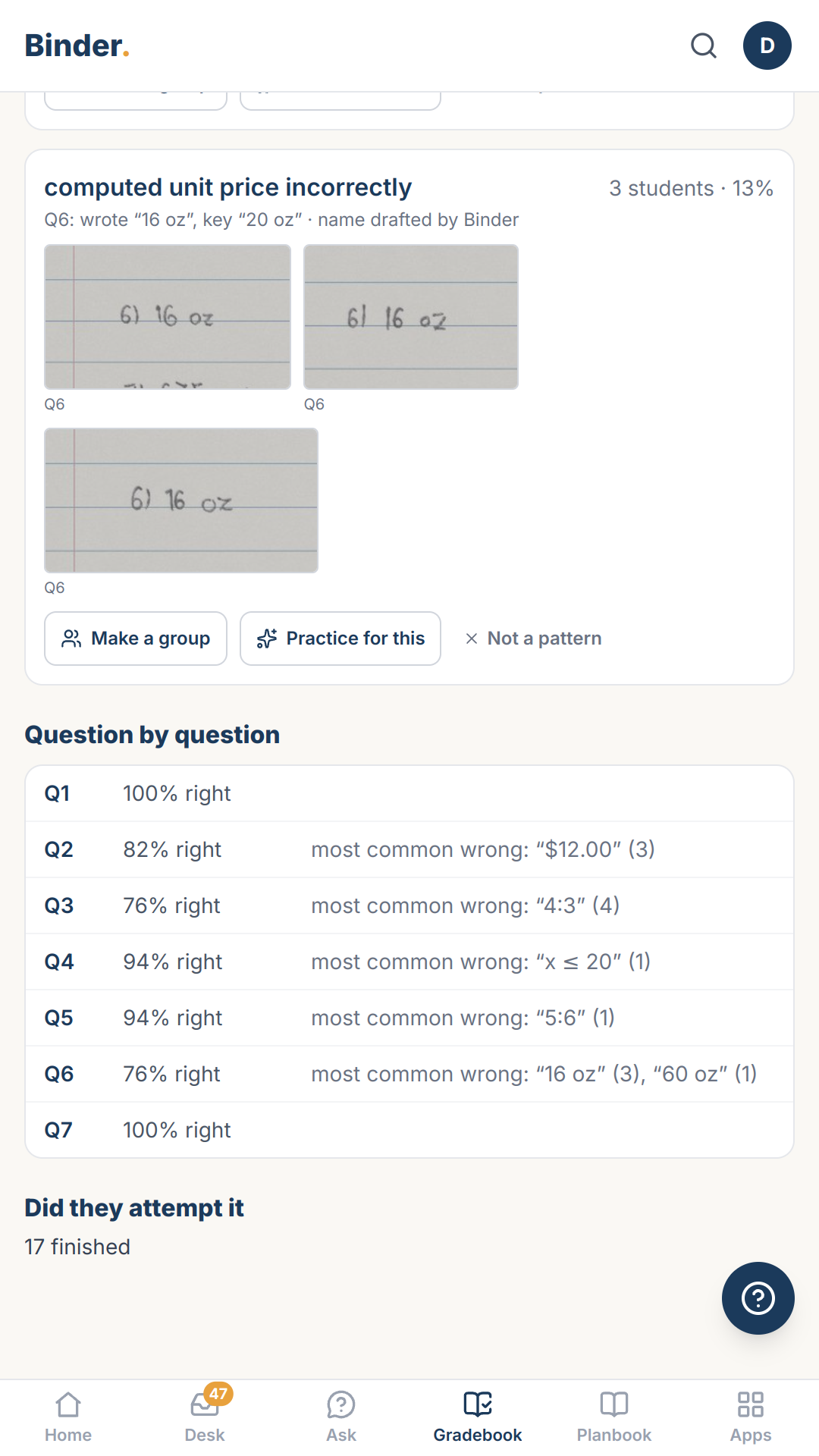
When you accept a scanned paper's score, Binder records the score for every question too.
So you can see how the class did on question 4 without a tally sheet.
A para, the office, or a sub can scan a stack for you. The pages arrive on your Desk already sorted by student, and nothing is filed until you look.
So papers get scanned the day they're collected, even when you're out.
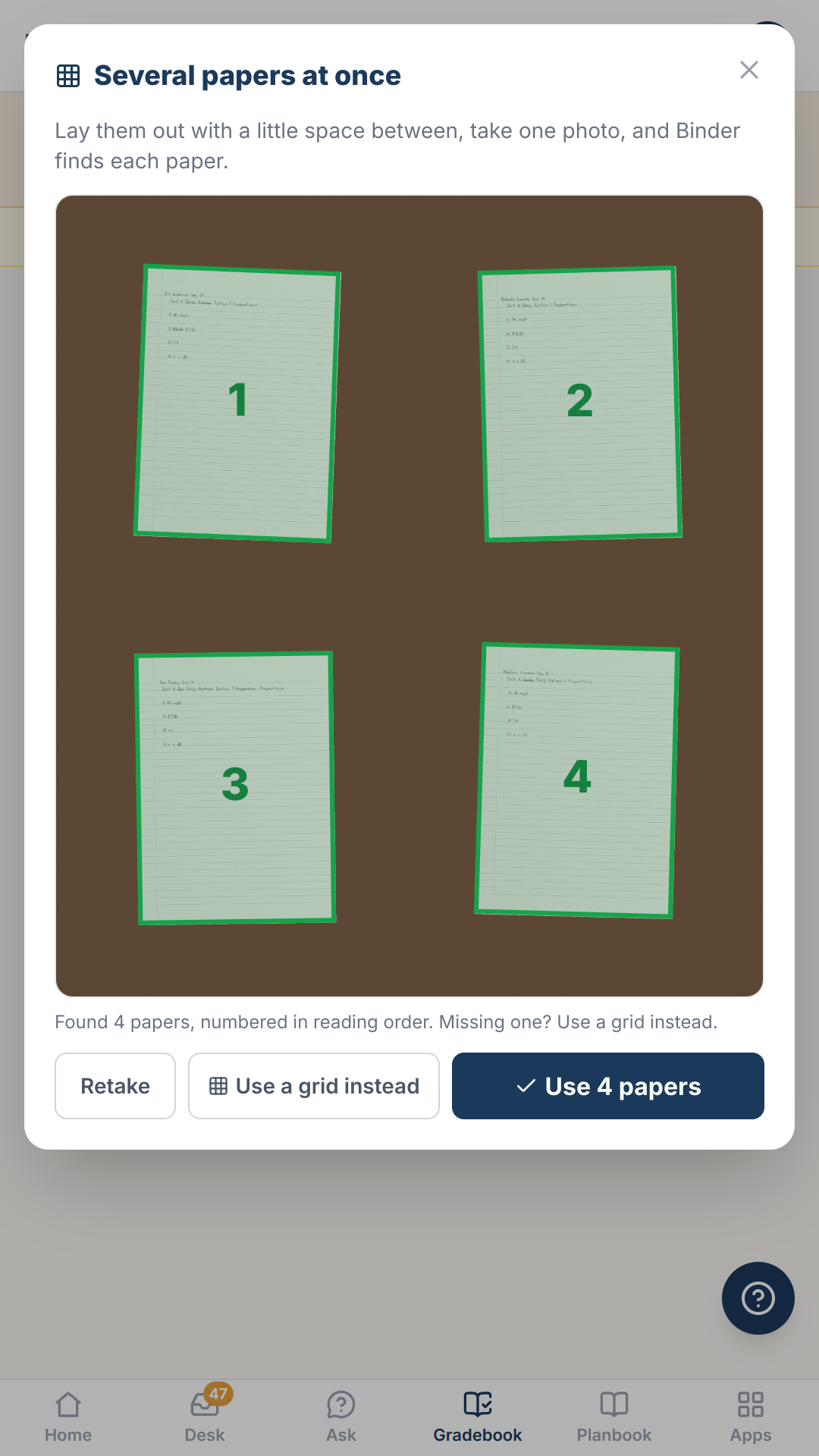
Lay several papers on your desk and take one photo. Binder finds each paper, straightens it, and files it with its student.
So a class set takes a handful of photos.
Scan multi-page assignments several at a time. Photograph the first pages on your desk, flip each assignment to page 2 where it lies, and photograph again. Binder keeps each student's pages together, in order.
So a class set of 30 three-page assignments takes about 15 photos.
Grade papers by hand the way you always have, then photograph the stack. Binder reads the score you wrote at the top of each paper and puts it in your gradebook for you to check.
So you only record each score once, when you write it on the paper.
True standards-based grading. Binder shows each student's level on every standard and never averages them into a percent.
So a second grader who meets every standard doesn't get an F for a missing reading log.
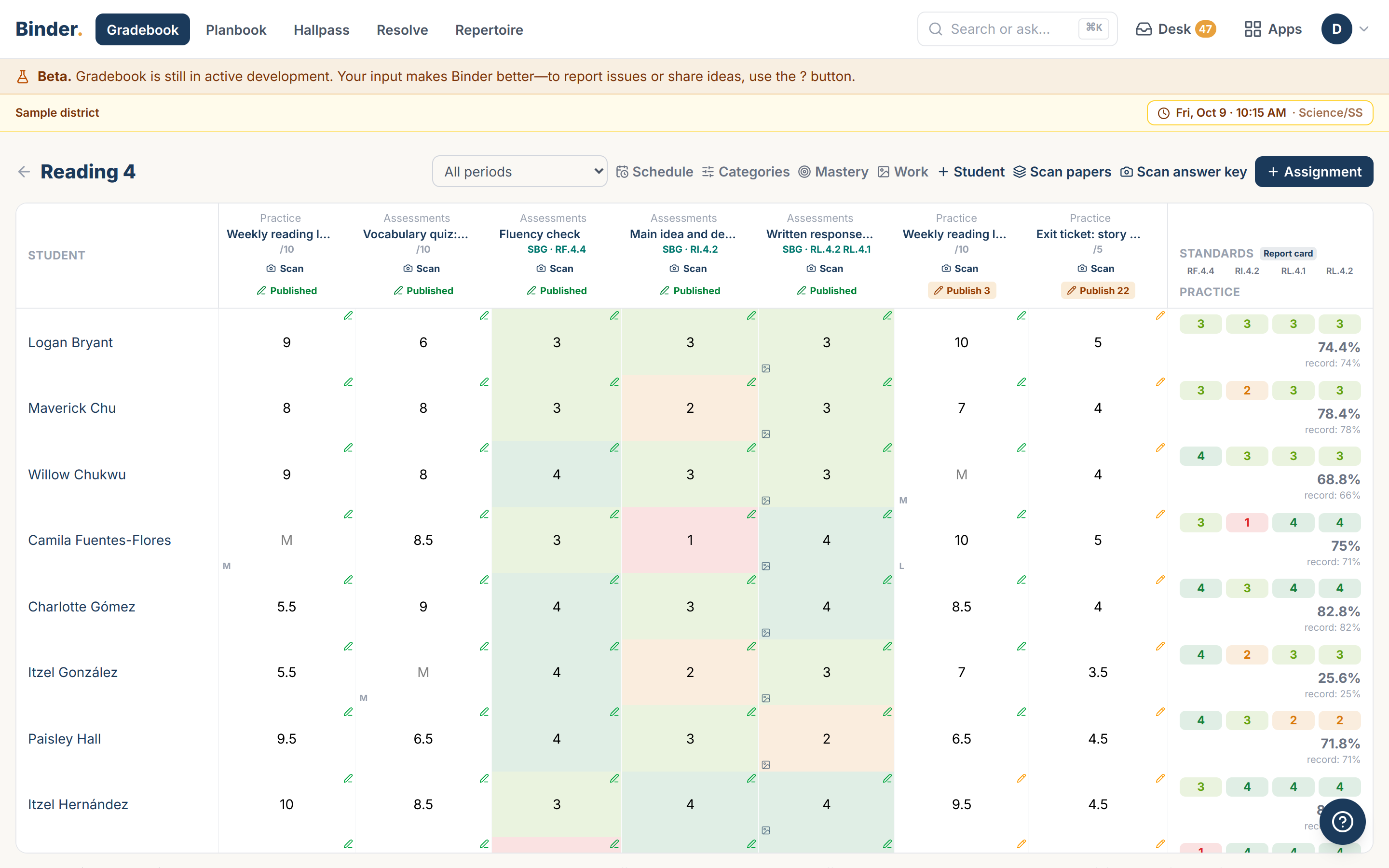
Your school decides what report cards show: a letter grade, a level for each standard, or both, for each school or each course.
So you can keep and report standards-based and/or letter grades—from one gradebook.
Tap any score to see the student's paper behind it.
So you never lose track of the work that led to the grade.
Fast entry from anywhere — including the hallway between classes. No waiting for a desktop, no losing the moment.
Photograph a stack of papers and get a head start on scoring. You review everything before it counts — nothing lands in the gradebook without your eyes on it.
Drafts stay private until you post. Work through the stack at your own pace; families and students see grades when you decide they're ready.
And a hard rule: AI never grades a student. It drafts for the teacher, and the teacher decides. Every time.
Sound familiar?
- “Grading a multiple-choice quiz means checking thirty papers against my key, one answer at a time.”
- “Grading a stack of quizzes eats my Sunday, one paper at a time.”
- “Our gradebook only works at my desk, so every score waits until after school.”
- “I collect exit tickets to see who got the lesson, but I don't get through the stack until the next day's lesson is already planned.”
- “Our old gradebook posted each score as I entered it, and students whose papers I hadn't reached yet asked why their friends already had a grade.”
- “After I finish grading a stack, I compare it against my attendance to figure out who was absent and who just didn't turn it in.”
- “I find out a student was absent only when I see the zero, and then I have to look up whether it was excused.”
- “Student work sits in my bag until I've graded it, and some of it never comes back out.”
- “I keep graded tests in a filing cabinet all year in case a parent asks to see one.”
- “A parent asks why their daughter is a 2 on a standard, and I have to dig through a semester of assignments.”
- “New teachers at our school wait a week for their classes to show up in the SIS.”
- “Before our old gradebook could score anything, I had to create the assignment, type the title and points, then enter the key.”
- “Before I can grade, I sort the pile by period and then alphabetize it.”
- “Makeup work trickles in all month, and every paper means finding the right assignment in the right period.”
- “If I haven't written the key yet, the papers sit in a pile until I do.”
- “My gradebook only keeps the total, so to see which questions the class missed, I have to tally them by hand.”
- “When I'm out, the papers my sub collected sit in a pile on my desk until I get back and sort them.”
- “Scanning a class set one paper at a time takes longer than it should when they're all sitting in front of me.”
- “Scanning a stack of three-page assignments means photographing every page of every assignment, one at a time.”
- “After I grade a stack by hand, I still have to type every score into the gradebook, one student at a time.”
- “Our gradebook turns a 3 on every standard into a percentage, and parents read it as a C.”
- “Our teachers keep separate records just to fill out standards-based report cards.”
- “When a parent questions a grade, I have to find the paper first.”
You finish grading before you leave school.
What you're using now
You carry the stack home, then type every score into a spreadsheet or the SIS before grades close. With Binder, you photograph the stack, review the scores Binder suggests, and skip the typing.
Every Binder app works like this
Built for your phone first
Every screen works in a hallway, not just at a desk.
Paper is a first-class input
Point your camera at a roster, a sign-out sheet, a stack of work — Binder drafts, you approve.
Your district's words
Labels and letters render in your district's own terminology.
AI drafts, people decide
Nothing becomes a record until a person says so.
More on how Binder works: the platform · security & privacy
Every Feature You'd Expect. Every Feature You'll Need.
The basics, so you can check them off.
- Categories and assignments
- Grading periods, tagged automatically
- Draft and published scores
- Standards alongside letter grades, never averaged together
- Your district's own proficiency levels and labels
- Makeup work, missing or excused, set by absence reason
- A running grade or a single period's grade
Try Gradebook with a sample school
Try it free14 days, no credit card, nothing to install. Explore with sample data, or bring your own roster.